Docs
Projects
Create and manage projects linked to invoices
On this page▼
Projects
Learn how to create and manage projects to organize your work and link them to invoices.
Creating Projects
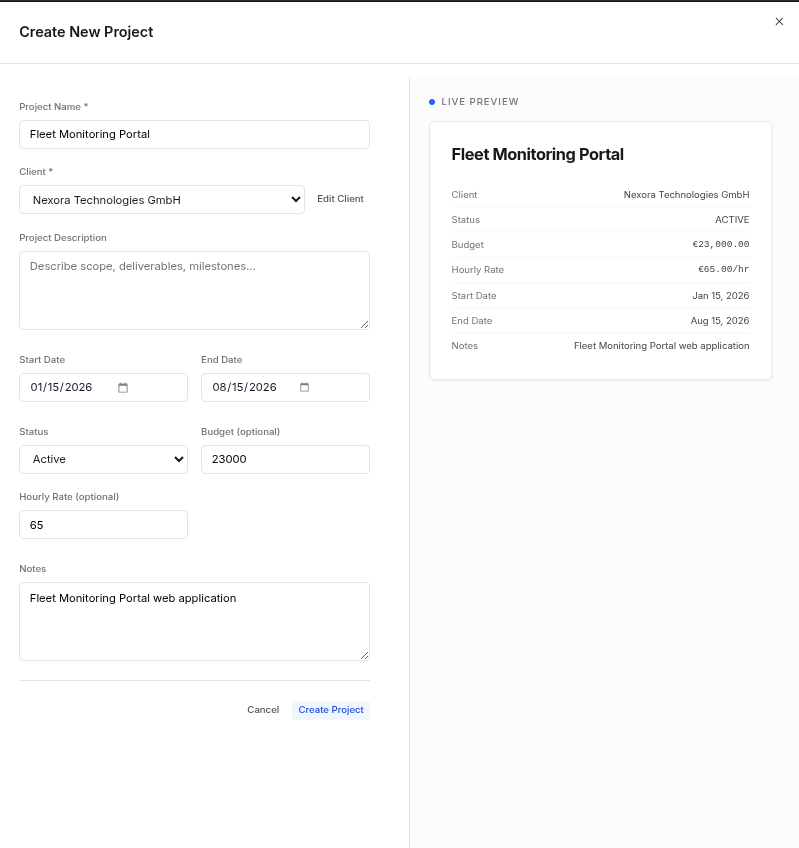
To create a new project:
- Navigate to the Projects section from the sidebar
- Click on New Project button
- Fill in the project details:
- Project name (required)
- Client (select from existing clients)
- Description
- Start date
- End date (or mark as ongoing)
- Budget (optional)
- Status (Active, On Hold, Completed)
- Click Save to create the project
Editing Projects
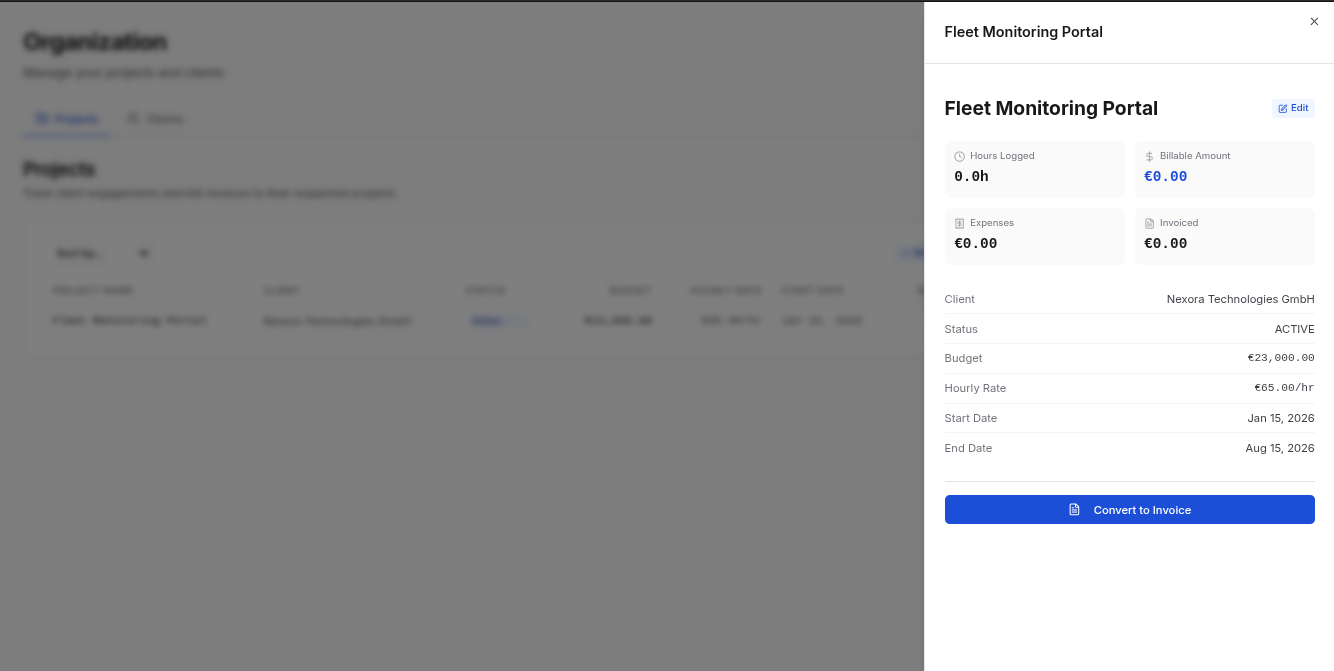
To edit an existing project:
- Go to the Projects list
- Find the project you want to edit
- Click on it to view project details
- Click the Edit button on the top of preview.
- Update any fields as needed
- Click Save to apply changes
Linking Projects to Invoices
When creating an invoice:
- Go to the Projects list
- Find the project you want to edit
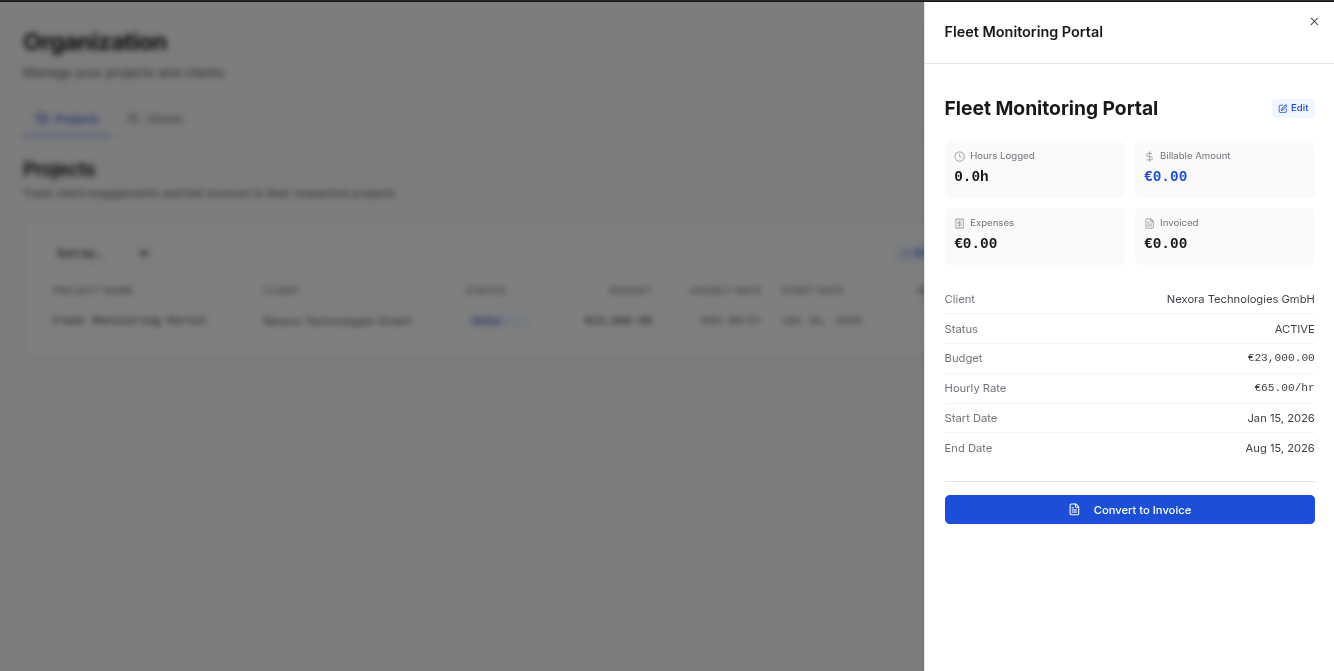
- Click on it to view project details
- Click the Add to Invoice button on the preview.
- The system can automatically populate line items from the project scope to Invoice form.
- Save the invoice
All invoices linked to a project appear in the project's invoice preview.
Project Status
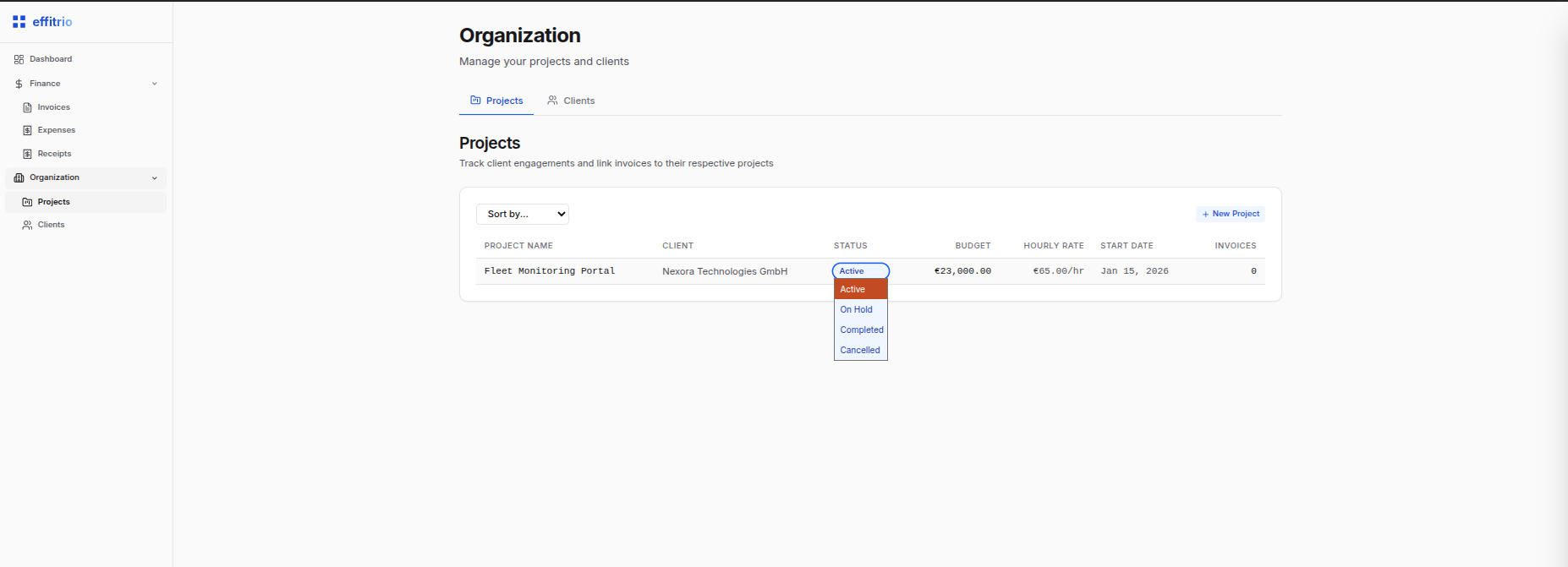
Track your projects through different stages:
- Active - Currently being worked on
- On Hold - Paused temporarily
- Completed - Project finished
- Cancelled - Old project for reference
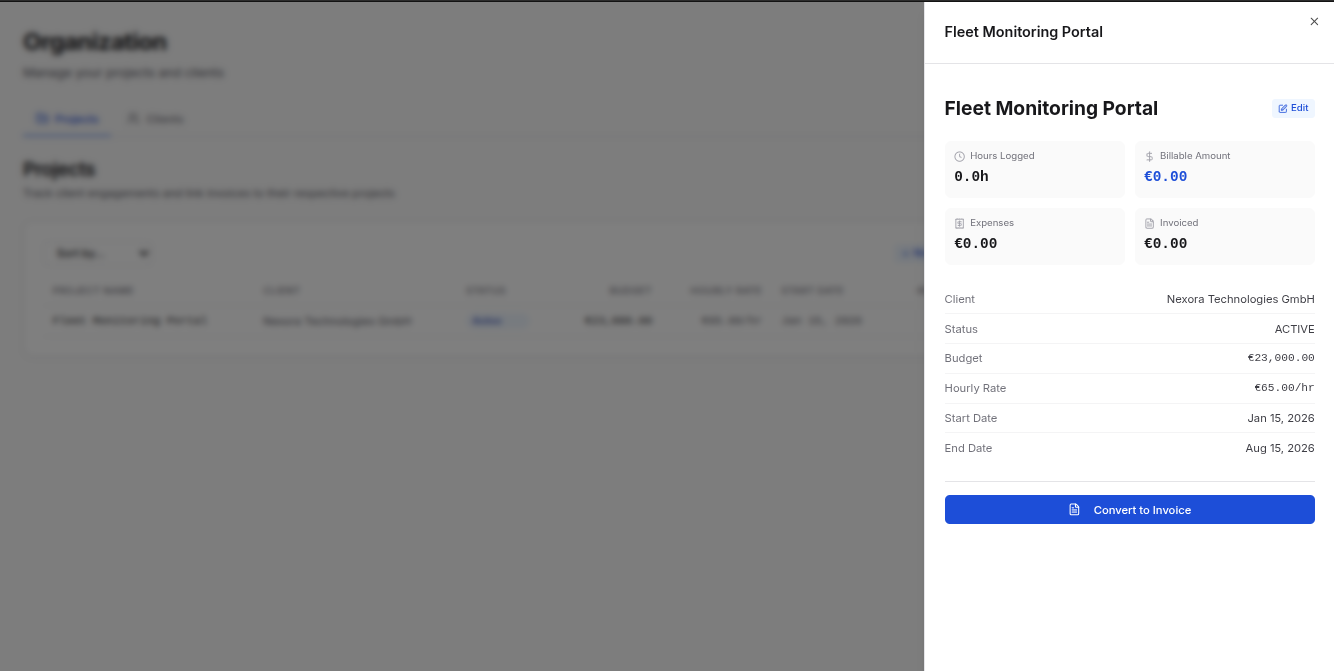
Viewing Project Details
Each project profile includes:
- Overview - Basic information and timeline
- Budget - Estimated vs. actual spending
- Invoices - All invoices related to this project
- Timeline - Project milestones and dates
Cancelling Projects
To cancel a project:
- Open the project profile section
- Change the status of the project to Cancelled
- The project status will be changed.
Note: You cannot delete a project after creation.
Project Organization
Organize your projects by:
- Status - Filter active, completed, or on-hold projects
- Client - View all projects for a specific client
- Date Range - See projects by timeline
- Budget - Track projects by budget allocation